An open slot is only the start.
Tank capacity, travel, and time at the property all shape what fits in the day.
Septic pumping software
Connect septic service scheduling, pump-truck routing, property records, and billing around the gallons coming in.
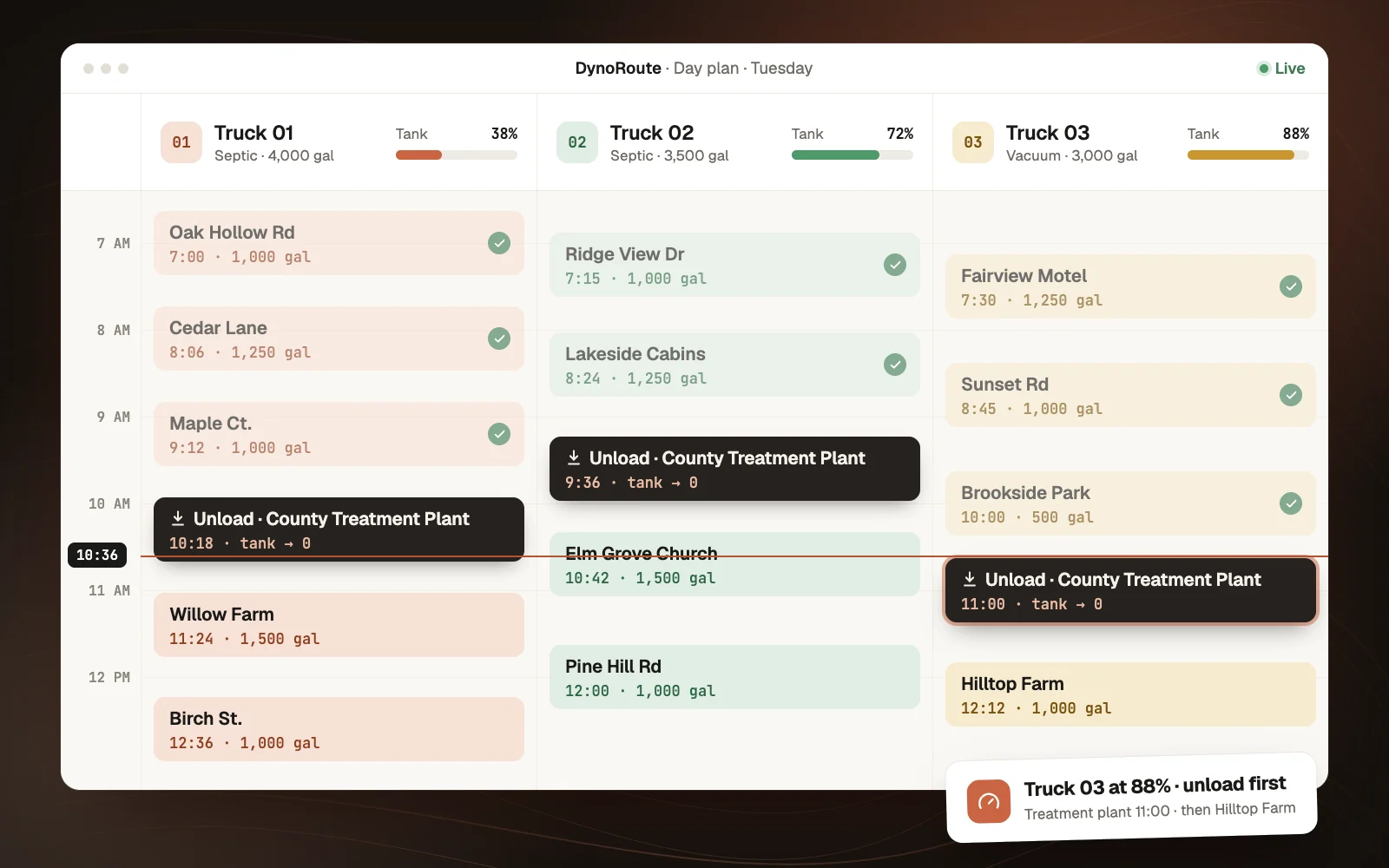
How capacity works
Plan the unload before the truck runs out of room, then start the next load with the return already accounted for.
Choose a stop to see the load change.
20% capacity remaining
Plan the unload before capacity runs out.
The shape of your day
Tank capacity, travel, and time at the property all shape what fits in the day.
Lid locations, access instructions, and previous service notes matter to the next driver.
Keep the disposal trip and the appointments after it in the same plan.
From the office to the field
Keep the schedule, the service, and the record connected across your operation.
Septic service scheduling
Store the agreed next-service date and use recurring jobs for repeat work. Keep inspections, pump-outs, and repairs distinct with job templates and forms. Your team sets the schedule using the property's history and service requirements.
Pump-truck route planning
Configure usable vehicle capacity and job demand so the plan accounts for the load. Include disposal returns alongside customer stops, travel, and working hours. Review the receiving facility and its opening window before dispatching the route.
Septic dispatch
AI suggestions help match the job to an available driver using location, skills, workload, and scheduling constraints. Review the recommendation and its reasoning, then accept or change the assignment. Conflict checks flag double-bookings and travel that cannot fit.
Property and tank records
Configure linked property and tank records for system details, lid locations, access instructions, photos, and service history. Keep the service address distinct from the billing contact. When the assigned driver changes, the recorded details stay available to the team.
Septic field forms
Give each service type its own form. Record the work performed, quantity removed, observations, disposal details, and customer sign-off where needed. Drivers can complete mobile forms offline and sync when connected, rather than leave the office to reconstruct the visit.
Invoicing and QuickBooks
Create an invoice using the job's line items, labor, and materials. Review pumping charges, access work, and disposal charges as separate items where appropriate. Connect invoices and payments to QuickBooks Online where included in your plan.
A connected workflow
Capture the service request, property address, access instructions, expected work, and appointment window.
Match the job to a suitable truck and driver. Account for tank capacity, working hours, travel, and disposal returns.
Use a mobile form for gallons removed, observations, photos, signatures, and follow-up work.
Carry recorded job charges into billing, attach supporting records, and review the next service action.
For the questions in between
Practical guides for the routes, records, and decisions that shape your working day.
Septic pumping software helps a service business organize customers, properties, bookings, truck assignments, field records, and billing. DynoRoute adds capacity-aware routing and AI dispatch so the day's plan can account for pump-truck limits and disposal returns.
You configure vehicle capacity and provide job-demand information. The plan uses those limits alongside scheduling constraints and can include disposal returns before continuing the route. Keep load inputs current; the plan depends on the quantities your team records.
Yes. Disposal returns can be included in the route instead of left as an unplanned detour. Review the facility, travel time, unloading time, and opening window as part of setup. Your team remains responsible for confirming that the facility can accept the load.
Yes. DynoRoute supports recurring work and configurable reminder workflows. Record the next-service date or repeat pattern your team has chosen for the property. The software follows that setup; it does not diagnose the tank or decide when pumping is technically required.
Yes. Configure property and tank records with the fields your business uses, such as system type, tank size, access notes, and last-service information. Link those records to customers and work so the office and returning crew can find the relevant history.
Yes. Mobile forms support offline data entry, photos, and signatures. The records synchronize when the device reconnects. Prepare the forms before the visit and confirm synchronization once coverage returns.
DynoRoute provides configurable job forms, rather than a promise that one template meets every authority's requirements. Build the fields and attachments your operation needs, then have the relevant requirements checked before using the form for regulated reporting.
Yes. QuickBooks Online integration supports invoice and payment synchronization with an eligible plan and configured connection. Job details can carry into invoices for review before sending. Confirm your accounting version and mappings during setup.
DynoRoute offers flat monthly plans with usage credits and no per-seat fees. Book a 30-minute intro call to discuss your routing needs and get a quote. Plans are month-to-month with no setup fee.
Bring a typical day's jobs, your truck capacities, usual disposal locations, a sample service form, and the spreadsheet or system you currently schedule from. We can use those to discuss workflow fit and the relevant published plan.
Your next stop
Bring your routes, your constraints, and your questions. We’ll talk through fit and pricing in a 30-minute intro call.
Book an intro call 30 minutes · Your operation · Your questions