DynoRoute’s short answer: grease trap pumping software is worth it for grease and liquid-waste haulers with recurring commercial routes, municipal FOG (fats, oils and grease) records to keep, or trucks that fill mid-route. It helps prevent missed pump-out cycles, keeps service records clean, speeds up invoicing, and cuts wasted miles.
The case is weaker for a solo operator with a handful of accounts, where a spreadsheet or a lighter tool can carry the schedule. For vacuum-truck fleets, the bigger variable is tank capacity: build the day around what each truck can hold, not only the shortest drive, and plan the disposal trip before the tank is full.
When it is worth it
Grease trap pumping software pays its way when your work is recurring, documented and limited by the tank. Recurring food-service accounts, such as restaurants and commercial kitchens, put the same traps on the board month after month. Municipal FOG rules then make every skipped visit a records problem. These are the conditions where the subscription earns back its cost:
- Recurring routes: When a job is marked complete, the next due date can update on its own. Essential says its due dates update from completed work, and PumpDocket and ServiceCore also advertise recurring scheduling with reminders. The next pump-out stops depending on someone remembering it.
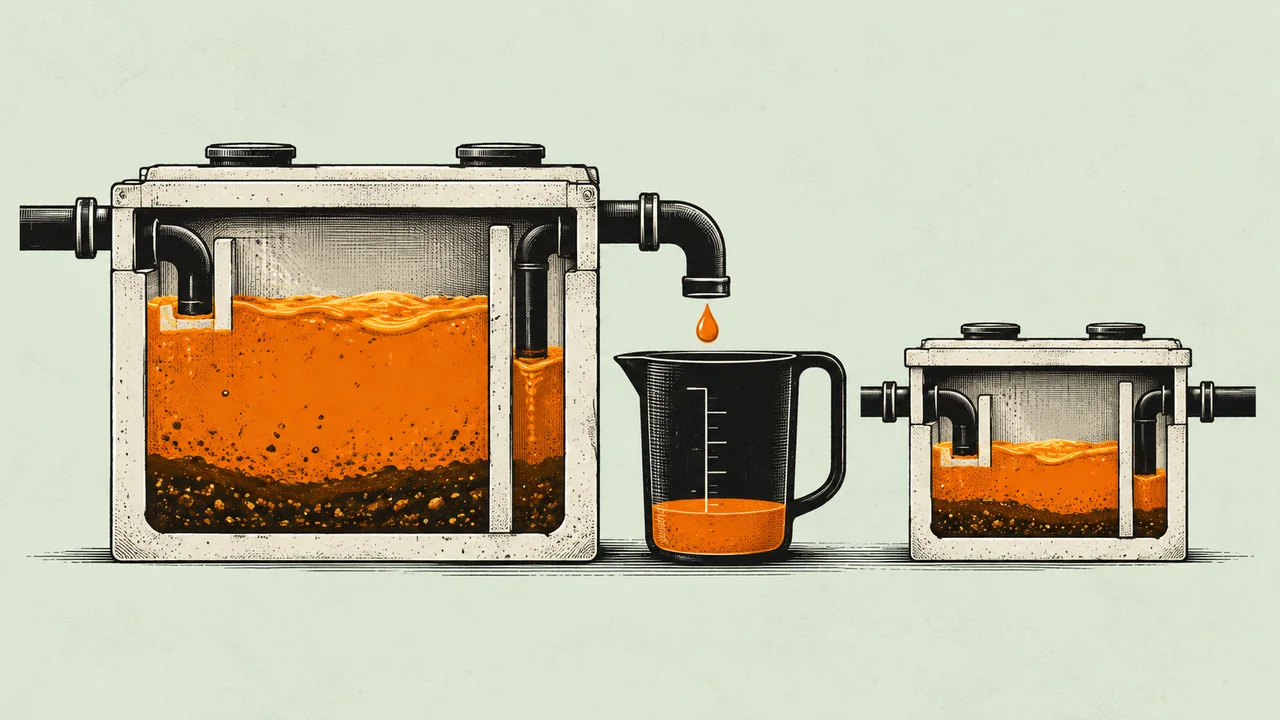
- Missed cycles and lost contracts: Many municipalities use a quarter-full rule (often called the 25% rule): a trap is due once grease and solids fill about a quarter of its liquid depth. Under that rule, a skipped cycle can turn into a violation for your customer. Essential’s page puts it plainly: “the city tells your customer before you do.” The usual result is a lost account. Our guide to what a missed grease trap service really costs covers the fines and the fallout.
- Compliance paperwork: Digital manifests and service records protect against municipal fines, rejected loads and lost accounts. Keep two things apart. A per-stop service record logs what was pumped, when, by whom, with photos or a signature. A FOG manifest is the document your local authority may require. Rules differ by state and city, which is why PumpDocket builds its trip tickets on state-by-state profiles. See what haulers and their customers must keep.
- Trap-level history: Some tools, such as Essential, track each trap and interceptor, not just each customer. That matters when one account has several traps on different intervals. Customer-level records alone hide which trap is overdue. More on this in tracking every trap at multi-trap locations.
- Truck capacity and disposal trips: A vacuum truck has a fixed tank capacity in gallons. Capacity-aware routing does the tank-fill math for each truck before the day starts, so no driver pulls up to a stop with no room left.
- Billing: Same-day invoicing from the field shortens the wait between pump-out and payment, so a week of slow invoices is real cash sitting on paper.
When it might not be worth it
Dedicated software is a harder sell when there is little to schedule, little to document, or nobody willing to use it in the truck. In these three cases a spreadsheet or a lighter tool can hold up for a while:
- Solo or a handful of accounts: One truck with a short customer list can track due dates in a spreadsheet. Lighter tools such as QuoteIQ cover quoting and scheduling at a lower cost. QuoteIQ’s own grease trap software roundup says it does not generate FOG-specific regulatory manifests.
- No local manifest mandate: Where your city or county asks for little paperwork, a generic field-service tool may be enough at first. ServiceCore’s grease page argues that generic field-service software lacks grease-specific features such as manifest tracking. If you work in a strict-manifest area, confirm the requirement with your local authority before you choose.
- Driver adoption risk: If drivers won’t use the phone app, records stay on clipboards and the office re-keys them. Try any system on a real week of your own routes before you commit.
How Much Can Route Software Save a Grease Trap Pumping Company?
No single figure answers this. Route software saves a grease trap pumping company money through several separate levers: fuel and mileage, stops per truck, planned disposal trips, dispatch time, billing and missed intervals. How much each lever is worth depends on how routes were planned before. Fleets coming off paper or a whiteboard usually see the biggest change. Fleets already on basic field-service software see a smaller one.
Key areas of savings
- Fuel and mileage: Route-planning vendors report lower mileage and fuel use once routes are planned instead of improvised. The gain is usually larger for fleets leaving paper or spreadsheets and smaller for fleets already on basic software. These are general fleet claims, not grease-specific measurements, so test the change on your own routes. On a pumping route, many of the miles you save are driven with a heavy, partly full tank, which is where driving costs the most.
- Stops per truck per day: Denser routes put more pump-outs inside the same shift. Grouping nearby accounts onto the same day cuts the empty driving between them. The added stops are revenue, not just cost avoided. Grease trap route density walks through the stops-per-hour math.
- Planned disposal trips and fill limit: A truck that fills before its last stop makes an unplanned dump run. Setting a fill limit and planning the dump run ahead of time (see the fuel section) removes most of these. The cost of one unplanned run is worked out in the ROI section below.
- Dispatch time: The board gets built before drivers leave the yard instead of rebuilt by phone at 7 a.m. Call-ins and sick days still happen, but re-splitting the day takes less of the dispatcher’s morning.
- Billing and admin time: Field-to-office sync means service records and invoices don’t get re-typed. Fewer office hours go to chasing paperwork.
- Missed intervals: A recovered pump-out is a recovered ticket, and often a kept contract. The recurring-route point above covers how automatic due dates protect it.
How to Calculate Grease Trap Pumping Software ROI
To calculate grease trap pumping software ROI, add up what each lever recovers in a year and subtract the subscription. Don’t borrow someone else’s payback number. Vendor payback calculators exist, but their results are estimates built on the vendor’s assumptions, not measured grease-fleet results. Your own numbers are the only ones that hold up.
The worksheet
- Missed-cycle revenue: Count the pump-outs missed or lost last year and multiply by your average ticket.
- Fuel and mileage: Take your current monthly fuel spend. Estimate the share you could save from a before-and-after test on your own routes. Be conservative if you already run basic software.
- Unplanned disposal runs: Count the runs and multiply by the cost per run, worked out in the next subsection.
- Office hours: Add the hours spent building the board and keying invoices each week, then multiply by the loaded hourly cost. Hours freed up are only cash if you actually cut paid time or use those hours for billable work.
- Added stops: Estimate the extra stops per truck per week from denser routes and multiply by your average ticket.
- Subtract the subscription: Use the annual cost for your truck count, including any modules or add-ons you’d need.
Track one number before and after: revenue per route-hour. It captures more stops, fewer dead miles and fewer wasted dump runs in a single figure.
What an unplanned disposal run costs
An unplanned disposal run happens when a truck fills before the route does and has to leave the route to unload. Price it in two parts:
Cost of one unplanned run = (extra miles × cost per mile) + (extra driver time × hourly cost)
Then look at what it does to the rest of the day. Take a truck that gets close to full mid-route, with the receiving site an hour from the yard. If that dump run wasn’t in the plan, the round trip comes out of the afternoon. Say it pushes two stops to tomorrow. At $175 to $800 per visit (BizBite’s published range), that’s $350 to $1,600 of work pushed to another day. That money isn’t lost unless the stop goes overdue or the customer leaves, but it eats into tomorrow’s capacity. Multiply by how often it happens per truck per month and the payback question gets much clearer.
Grease Trap Pumping Software Subscription vs One Time Purchase: How It’s Sold
Grease trap pumping software is sold mostly as a recurring SaaS subscription, paid monthly or yearly. The subscription usually includes updates (including changes to compliance and manifest features) plus cloud and mobile sync between drivers and the office. A one-time (perpetual) license means paying once for a version you run yourself. These are less common in this market, and they usually carry a yearly maintenance fee for updates and support.
Comparison at a Glance
| SaaS subscription | One-time or perpetual license | |
|---|---|---|
| How you pay | Monthly or yearly, often scaled by trucks, users or plan | One up-front payment, plus yearly maintenance |
| What updates cost | Updates are included, including changes to compliance and manifest features | Updates usually need the maintenance fee or a paid upgrade |
| Field sync | Drivers’ phones and the office sync through the cloud | Often desktop-bound, with limited mobile access |
| Recurring automation | Next-due dates typically update after each job | Depends on the version you bought |
| Manifest support | Varies by vendor, so check it against your local rules | Manifest formats stay frozen unless updated under maintenance |
| Who plans truck capacity | Varies: some tools model tank capacity, many leave it to the dispatcher | Usually left to the dispatcher |
What vendors publish (checked November 4, 2026)
| Vendor | Published price | How it scales |
|---|---|---|
| ServiceCore | No published prices; quoted after a demo | Billed monthly on an annual contract, per its pricing page |
| Tank Track | $180/month for the first truck, $150/month for each extra truck | Per truck; no contract |
| PumpDocket | Starter $139/month list (1–3 trucks), Team $329/month (4–10 trucks), Fleet $649/month (11+ trucks); lower intro rates advertised | By truck band; recurring scheduling and FOG manifests start on Team |
| QuoteIQ | $29.99 to $699.99/month across five plans | By number of users |
| Route Simplified | Local plan $100/month + $1 per account (up to 500 used cooking oil accounts) | By account count |
| Route4Me | No published prices; contact sales | By plan |
| DynoRoute | Quoted on a 30-minute intro call (how DynoRoute pricing works) | Flat monthly plans with usage credits; month-to-month, no setup fee, no per-seat fees |
Prices and plans change. Check each vendor’s current page before you compare, and compare at the plan you would actually run.
Pros and cons
Subscription
- Pros: Lower cost to start. Rule updates and phone-to-office sync come with it (see the table above). Easier to drop if it doesn’t fit, especially on month-to-month terms.
- Cons: You pay for as long as you use it. Per-truck pricing climbs as the fleet grows. Annual contracts can lock you in for a year.
One-time license
- Pros: One payment up front. No ongoing subscription line on the books.
- Cons: Less common. Updates for new rules typically need maintenance fees. Mobile and cloud sync are often limited or missing.
Which should you choose?
- Choose a subscription if your city or state changes FOG reporting rules, your drivers work from phones, or you want to try it before committing long term.
- Choose a one-time license if your paperwork rules rarely change, your team works mainly from one office computer, and the vendor still supports the version.
How to Reduce Fuel Costs on Grease Trap Pumping Routes
To reduce fuel costs on grease trap pumping routes, fix the route order and the tank fill before you work on driving habits. Group accounts into zone-days (one area per day). Order stops against what the vacuum truck can hold. Put the dump run on the route as a planned stop. Then tune truck weight, idling and tires. Fuel follows loaded miles, and loaded miles follow the plan.
Route order and tank fill
- Zone-days and stops per hour: Put accounts in the same area on the same day so the truck isn’t crossing town between pump-outs. Measure stops per hour per zone, not just miles.
- Running gallon total: Keep a running gallon total for each truck through the day, planned to stop short of a completely full tank. That leaves room for a trap that runs heavier than expected without a second trip.
- Disposal runs as planned stops: Build the trip to the disposal or receiving site into the route, including receiving sites away from the yard, and check the site’s opening hours. Some fleets argue over whether to pump near the yard first or last. The simpler rule: put the unload where it removes the most loaded miles. For cutoffs and gate times, see scheduling grease routes around disposal sites.
- Arrival windows: Time grease stops for before opening, the mid-afternoon lull, or dedicated night routes. Arriving in those windows means less waiting in a lot with the engine running.
Truck and driver habits
- Truck weight: Aluminum tanks are lighter than steel, which leaves more room for payload, according to tank builder KeeVac. Right-size the truck to the route so a big truck isn’t hauling a light load all day.
- Idling, PTO and tires: Idling adds up fast. The U.S. Department of Energy’s Alternative Fuels Data Center says that “idling a heavy-duty truck consumes about 0.8 gallon of fuel per hour.” Cut idle time between stops, run the PTO (the power take-off that drives the vacuum pump) only while pumping, and keep tires at the right pressure.
The number to watch
Track fuel per gallon pumped: fuel used on the route divided by gallons of FOG collected. It improves when routes get denser and dump runs get planned. It doesn’t improve when trucks drive fewer miles but also collect less.
Where each type fits
Grease trap pumping software falls into a few types: compliance-heavy waste platforms, pumping-focused tools, lighter low-cost tools, oil-and-grease collection routers and general delivery routers. Each asks something different of the fleet that adopts it. The table describes each by what it is built for, how it handles records and what adopting it takes. Pricing sits in the cost section above. For a fuller side-by-side, see our grease trap software comparison.
| Product | Built for | Records and manifests | What adopting it takes |
|---|---|---|---|
| ServiceCore | All-in-one software for liquid waste businesses: scheduling, routing, billing and compliance | Says it automatically generates FOG disposal manifests | Demo-led sales and an annual contract; its FAQ puts setup at 6–12 weeks |
| PumpDocket | Septic, grease trap and portable restroom pumpers | FOG manifests and trip tickets on the Team and Fleet plans | Truck-band pricing, so cost steps up as the fleet grows |
| Tank Track | Septic, grease trap and portable toilet operators; strong on reminders, booking and invoicing | Says it creates waste manifest reports as work is completed | Per-truck pricing with no contract; the vendor imports your data |
| Essential | Recurring pump-out tracking for grease trap service, including 25% rule tracking | Trap-level history, plus a form builder for service records and manifests | Pricing not confirmed for this page; ask the vendor |
| QuoteIQ | Low-cost quoting, scheduling and invoicing for home and field service | No built-in FOG manifest, per its own roundup | Manifests handled outside the tool |
| Route Simplified | Used cooking oil collection, with grease trap routing by location and service interval | Says it captures compliance data; manifest support not detailed publicly | Per-account pricing; little public product detail |
| Route4Me | General route planner for delivery and service fleets | Not built for FOG records | Supports weight and volume limits per vehicle; test whether it plans a mid-route unload the way your trucks need |
How capacity-limited planning compares
| Capacity-limited fleet planner (DynoRoute) | General route planner | Spreadsheet or whiteboard | |
|---|---|---|---|
| Models capacity per truck | Yes, in the units you use: gallons, pounds, yards or units | Often weight or volume limits; check whether it fits tank work | In the dispatcher’s head |
| Disposal trip built into the route | The unload is a planned stop, and the route continues from there | Varies; often added by hand | Decided on the phone mid-route |
| Fill limit you set | Set per truck | Depends on the tool | A rule of thumb |
| Assignment review | AI suggestions come with a confidence score and reasons; the dispatcher approves | Mostly stop order, not truck and driver fit | Done from memory |
| Late jobs and cancellations | Recovery suggestions for late jobs and cancellations, approved by the dispatcher unless you turn on Auto Mode | Depends on the tool | Phone calls |
| Pricing structure | Flat monthly plans with usage credits; month-to-month, no setup fee, no per-seat fees | Often by plan or quote | Staff time |
Features and terms change. Confirm each row against your own routes before you buy.
When a full truck is the real constraint
Grease trap routes break when the tank fills, not when the miles run out. If your dispatcher’s hardest job is knowing which truck still has room, the planning tool matters more than the map. That is the fleet DynoRoute is built for: grease, septic, used cooking oil and other haulers whose day is limited by what the truck holds. It is the plan the dispatcher reviews and signs off, not a replacement for the dispatcher.
What it does
- Capacity and the dump run: You set what each vacuum truck can hold and what each stop is expected to add. DynoRoute plans within those limits and puts the disposal or receiving-site return in the route, per DynoRoute’s grease trap software page.
- Recurring work: Jobs repeat weekly, biweekly, monthly, quarterly or on a custom cadence. Due, unscheduled and overdue work stays visible to dispatch.
- Who takes the job: The AI Dispatcher suggests a truck and driver for each job based on capacity, location, availability, workload and skills. Each suggestion carries a confidence score and its reasons. The dispatcher accepts, rejects or reassigns. Auto Mode is optional and works within guardrails you set.
- When the day slips: Recovery agents suggest fixes for late-running jobs, cancellations and schedule gaps. The dispatcher approves them unless you have chosen to automate that step.
- In the field and the office: Drivers use an iOS or Android app to record gallons, photos, signatures and notes, even offline. Completed jobs turn into invoices, with QuickBooks invoice and payment sync.
What it looks like on a bad day
- Friday-night backed-up trap: A restaurant calls at 9 p.m. with a backed-up grease trap. Dispatch needs a truck nearby with enough tank room left. The suggestion shows which truck fits and why, and the dispatcher makes the call.
- Two drivers out sick: Two drivers call in and a truck is down at shift start. The day’s stops get re-split across the remaining trucks and drivers before anyone leaves the yard, with each reassignment up for review.
- Canceled afternoon slot: A customer cancels a 2 p.m. pump-out. A recovery agent can suggest a nearby job that fits the open time and the truck’s remaining tank room.
Where it stops
DynoRoute does not generate FOG manifests. It captures the details behind them, such as gallons, disposal details, photos, signatures and timestamps, so pair it with your manifest process and check what your authority requires. The dispatcher stays in charge of every assignment unless you choose Auto Mode. For the move off Excel, see our guide to switching from spreadsheets to dispatch software.
Book a 30-minute intro call to talk through your trucks, routes and pricing.
What to ask any vendor
Use the same questions with every vendor:
- Does it track each trap’s interval, or only each customer’s?
- Does the next due date update when a job is marked complete?
- Does it generate the FOG manifest my city or state requires, or only a service record?
- Does it know each truck’s tank capacity in gallons, and does it plan the dump run?
- Can it route to a receiving site that isn’t the home yard?
- Who decides which truck and driver take a job, and can I see why?
- What happens to the plan when a driver calls in sick at 6 a.m.?
- Is it month-to-month or an annual contract? Are there setup or per-seat fees?
- Can I try it on my own jobs and drivers before signing?
Frequently asked questions
How much does it cost to have a grease trap pumped?
BizBite puts grease trap pumping at $175 to $800 per visit, depending on trap size and frequency. Treat that as a benchmark, not your price, and use your own average ticket when you price missed cycles. A quick decision rule: at the low end of that range, two lost visits a month ($350) already cost more than one truck on Tank Track’s per-truck plan ($180 a month for the first truck). If you lose that many visits a month, the software cost is covered before fuel or office time are counted.
Do grease trap pumping software vendors charge per truck?
Some do, and some don’t. Tank Track charges per truck, PumpDocket prices by truck band, QuoteIQ prices by users, and DynoRoute uses flat monthly plans with usage credits. The vendor table in the cost section shows who lists what. Before comparing, work out the cost for your own fleet. On Tank Track’s list price, three trucks is $180 + $150 + $150 = $480 a month. Then ask about setup fees, add-ons and contract length.
Does grease trap pumping software generate FOG manifests?
It depends on the vendor. The table under “Where each type fits” shows which tools say they generate manifests, and “Where it stops” covers DynoRoute’s limits. Decision rule: if your city or state requires a specific manifest format, make manifest support the first filter, ahead of price or routing, and ask to see a sample in your local format. If no mandate applies, a per-stop service record may be enough.
How do I schedule recurring grease trap service for restaurants?
Set up each trap, not just each customer, as its own recurring job at the interval your local rules require. That is often tied to the quarter-full rule where it applies. Automatic due dates are covered under “When it is worth it.” The catch: tools differ in which cadences they support, so check every interval on your account list against the tool before you buy.
Numbers to gather before you decide
Pull these before you talk to any vendor. They feed the ROI worksheet above:
- Number of trucks and each tank’s capacity in gallons
- Number of active recurring accounts and traps
- How you plan routes today: paper, whiteboard, spreadsheet or basic software
- Average distance from your routes to the receiving site
- Average ticket per pump-out
- Pump-outs missed or pushed late in the last 12 months
- Unplanned dump runs per truck per month
Fleet-size decision test:
- One truck, short list, no manifest mandate, no misses: a spreadsheet or lighter tool is fine for now.
- Recurring accounts with municipal paperwork: you need recurring automation and records. Software is worth it.
- More than one truck, and trucks that fill mid-route: you need capacity-aware planning on top of records. This is where the biggest savings usually sit.