Last updated: July 18, 2026 · By Riddhi, Founder at DynoRoute
Key takeaways
- A multi-trap site is several regulated devices sharing one address; each trap and interceptor carries its own size, clock, and paper trail.
- Municipal FOG programs track due dates per device, so your records have to answer at the device level.
- Build a device inventory on the first site walk: type, capacity, location, access notes, and a permanent ID for every unit.
- Attach service history to the device ID (date, gallons, condition, photo) so any unit's story reads in one place.
- Pump the big interceptor first, and reconcile completions against the inventory before the truck leaves.
- One skipped trap can cost the whole commercial account, because the miss surfaces as your customer's violation.
- Multi-device sites are the densest revenue on a pumping route: several services, one drive.
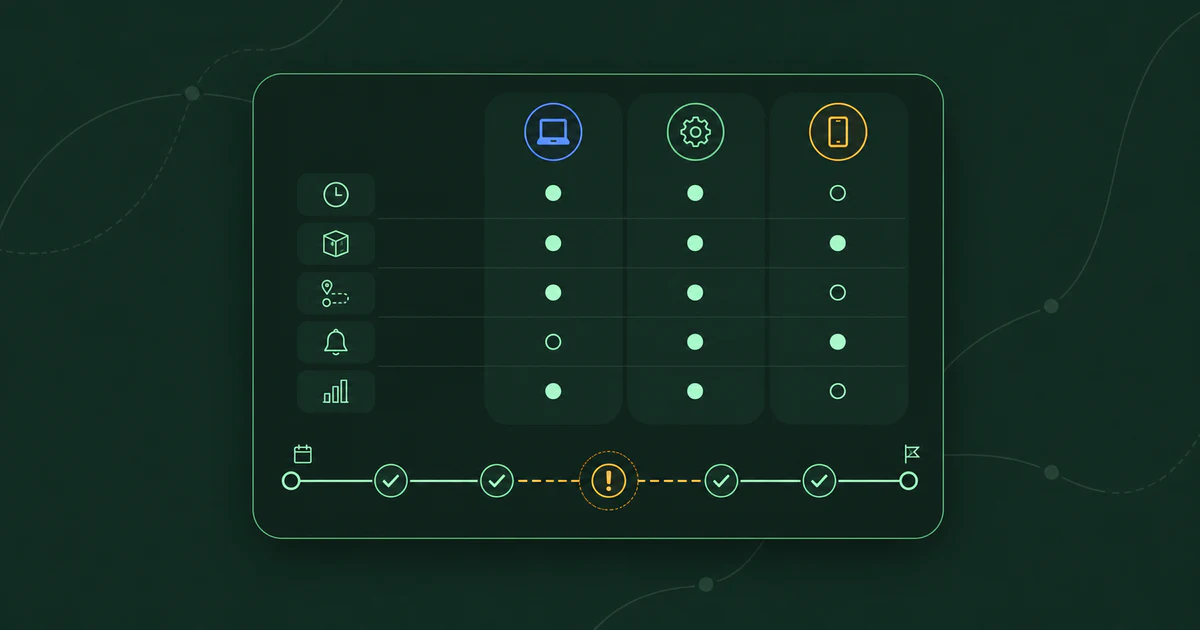
Servicing multi-trap locations comes down to one record-keeping decision: every grease trap and interceptor at a site gets tracked as its own device, with its own service history, schedule, and proof. Your route plan can treat the site as a single stop; your records cannot. At a food court with three indoor traps and an outdoor interceptor, "we serviced the account" answers nothing, because the inspector wants to know which device got pumped on which date, and a skipped unit surfaces as your customer's health-code violation.
If you hold commercial accounts, you have probably met the version that hurts. A driver pumps the two traps he knows about at a hotel, misses the third one behind the loading dock, and marks the stop complete. Everyone believes the job is done until the county's letter says otherwise.
I build route planning software for vacuum-truck fleets, and I've spent this year interviewing the operators who run them. The companies that keep multi-device accounts for years track service per device and can prove any unit's history in about a minute. This guide lays out how they do it, and what those accounts are worth.
What Makes Multi-Trap Sites Different From Single-Trap Stops
A multi-trap site is several regulated devices that happen to share a parking lot. Three facts drive everything else about servicing one.
Each device is permitted and clocked on its own. Regulators treat every trap and interceptor as a separate unit with its own maintenance duty. Connecticut's FOG general permit, to take one written-down example, requires each grease trap or interceptor to be completely emptied whenever fats, oils, grease, and settled solids occupy 25% of its operating depth, or at minimum once every three months, whichever is more frequent. That clock runs per device: the small trap under the dish sink hits 25% long before the big interceptor outside does.
One address often carries both a trap and an interceptor. Full-service restaurants in many jurisdictions must run at least a 1,000-gallon exterior interceptor, with 1,500 gallons increasingly common in high-volume operations, and California jurisdictions commonly require an interior trap as well. Complex kitchens go further: fixtures that aren't plumbed to the main interceptor get their own traps, which is how a food court or commissary ends up with four devices behind one address. Stadiums, casinos, universities, and hospitals run on interceptor cleaning at this scale. Local plumbing code sets the device count; there is no national standard, and no substitute for walking the site.
The inspector increasingly sees the site per device. Municipal FOG programs are sold software built to profile each facility's grease traps individually, with size, type, location, and due date, and platforms on the municipal side record the manifest ID, gallons pumped, hauler, pump date, and disposal date for every cleaning, then compute the next due date. Not every county runs one yet — plenty still work from spreadsheets — but the file is organized by device either way, and when a question comes up your records get compared against it. Customer-level history loses that comparison.
Key Aspects to Consider When Servicing Multi-Trap Locations
Reliable multi-trap service runs on five habits: a device inventory for every site, history attached to devices instead of accounts, a deliberate pump order, a completion check before the truck leaves, and records that line up with the inspector's.
Building a Device Inventory for Every Site
Walk the site before you quote it and record every device: trap or interceptor, capacity, where it sits, how to reach it, and an ID you will use on every record afterward. Indoor traps hide under sinks and in floors; interceptor lids sit in parking lots and service alleys. Every schedule you build afterward inherits whatever the walk missed.
Access belongs in the inventory too. The grease-collection operator I interviewed keeps site-access notes and before-and-after photos attached to every job, so any driver his office sends can find and finish the work. Give each unit a durable ID like "Trap 2, bar sink line" rather than a description that only makes sense to the driver who wrote it.
Keeping Service History Per Trap, Not Per Customer
Attach every service record to the device ID: date, gallons removed, condition, repairs made, and a photo. None of these fields are exotic — the difference is what they are attached to. A record filed under "Harbor Hotel, March" cannot tell you whether the kitchen interceptor has gone two cycles without a full pump-out. A record filed under "Harbor Hotel, Interceptor 1" can.
The alternative is tribal knowledge, and it walks out the door. An operations lead at a national grease-trap and used-oil collection company told me his routes were "really kept in our representatives' heads," and that "any time they turn over, we start anew with that rep." Device locations and last-service dates are exactly the knowledge that resets. The clocks genuinely differ per device, too: interior traps typically need service every 30 to 90 days, while large exterior interceptors run 90 to 180.
Sequencing Which Trap Gets Pumped First On-Site
Open the biggest device first, while the truck has the most room. The exterior interceptor is the single largest draw on your remaining tank capacity; arrive with less room than it holds and the site becomes a second trip. Pump order and tank space are the same capacity problem that governs the rest of the day's dispatch, which is why multi-device sites belong early on a route, when tanks are emptiest.
The rest is practical. Indoor traps need kitchen access, so they get pumped around service hours; the outdoor pad is reachable any time. And many companies run trap cleaning and grease collection as separate lines with separate trucks, so one address may see two crews in a week. The shared inventory keeps each crew's scope explicit, so nobody assumes the other truck handled it.
Catching the Skipped Trap Before the Inspector Does
Reconcile before the truck leaves: services recorded at the stop must match the device count in the inventory. A driver services what he can see, and on a four-device site the fourth unit is usually the one nobody walks past. A per-device checklist with a photo per unit turns "did we get everything" from a memory question into a counting question.
The second check is volume. The grease-collection operator I interviewed compares what a stop should yield against what actually came out; in his case a gap like "expected 300 gallons, got 12" exposed grease theft, and on a multi-device site the same comparison flags the trap that never got opened.
The miss does not stay hidden, because the skipped trap's pumping schedule keeps running and the pump-out duty sits on each device individually. The county will not average one neglected interceptor against the three traps you did service.
Matching Your Records to the Inspector's View
Keep records the way the inspector reads them: one line per device per service, with date, gallons, condition, and where the load went. This is long-lived paper: Connecticut's FOG general permit requires the food service establishment to keep all inspection, cleaning, and maintenance logs for five years and produce them on request, and that file is only as good as the service records you hand over.
Manifests are the other half of the trail. The grease-collection operator I interviewed files a manifest with the health department for every load he hauls; in regulated counties, per-load paperwork is simply how the business runs, and it is what ties a specific pump-out to a specific device on a specific date. The municipal system is computing each device's next due date on its side, and when it says a unit was missed, operators who keep per-device records walk into that conversation with the answer already written down.
The Numbers Behind Multi-Trap Accounts
Multi-device sites are the best economics on a pumping route and the most expensive accounts to lose. Both halves come from the same fact: several services share one address.
The upside is density. The grease-collection operator I interviewed budgets roughly $95 of overhead per stop: the drive, the setup, the office time behind it. Four single-trap customers scattered across town carry that overhead four times; a four-device site carries it once, spreading one stop's cost across four billable services with zero windshield time between them. For a deliberately round illustration, four devices billed at $250 each puts $1,000 of revenue on a single stop's worth of drive time.
The loss math is just as concentrated. One skipped trap becomes the customer's violation, and the customer holds every device: if a food-court account walks over a missed unit, it takes four services' worth of recurring revenue with it. Even the recovery is expensive: the return trip for one missed trap costs a full stop's overhead to pump a fraction of one device. The reconciliation habit pays for itself fastest on these accounts.
Choosing Software That Tracks Every Trap
Paper inventories and spreadsheet history do work, right up until the person maintaining them leaves or the account list outgrows one head. If you are evaluating software to carry this instead, judge it per asset:
- A device record under every customer — each trap and interceptor exists as its own asset, with type, size, location, and ID
- History that hangs off the device — dates, gallons, condition notes, and photos readable per unit in seconds
- Different clocks at one address — a 30-day indoor trap and a 180-day interceptor at the same site without a workaround
- Proof captured at the unit — timestamped photos and a scan or checklist confirming which device was serviced
- A reconciliation view — services completed at the stop checked against the site's device count
- Records that export cleanly — per-device history you can hand a customer or an inspector without a weekend of copy-paste
DynoRoute handles the field half of this list for capacity-routed fleets: asset tracking carries each trap and interceptor as its own record, per-stop custom fields hold device IDs, sizes, and access notes, drivers scan barcode or QR labels at the stop to confirm the unit in front of them, and every service gets timestamped, geotagged photo proof. Book an intro call for a quote and to discuss how you can put one multi-device account through it and see whether the records hold up.
Frequently Asked Questions
(FAQ questions derived from the query fan-out grid — Google's People Also Ask panel could not be captured for this query.)
How many grease traps can one building have?
As many as local plumbing code requires; there is no national standard. Full-service restaurants in many jurisdictions must run at least a 1,000-gallon exterior interceptor, some also require an interior trap, and fixtures not plumbed to the main interceptor get their own. Food courts, commissaries, stadiums, and hospitals routinely carry several devices behind one address.
Do all the grease traps at one site share a pumping schedule?
Rarely. Interior traps typically need pumping every 30 to 90 days while large exterior interceptors run 90 to 180 days, and permits set the pumping duty on each device individually. That gives one address two or three different service clocks.
How do inspectors keep track of multiple traps at one location?
Increasingly, with per-device databases. Software sold to municipal FOG programs profiles each facility's traps individually (size, type, location, due date) and logs every cleaning against the specific device before computing the next one due; spreadsheet-based programs track the same facts by hand. When a due date passes without a recorded service, the question goes to your customer first, and then to you.
What happens if one trap at a multi-trap site gets skipped?
Its clock keeps running, and the miss eventually surfaces as a violation on that device, which lands on your customer's inspection record. Catch it the same day: reconcile services recorded at the stop against the site's device inventory before the truck leaves, and watch expected-versus-collected volume. A missed unit found the same day is a callback; found by an inspector, it can cost the account.