Key takeaways
- A dispatch spreadsheet works because the real routing engine is the dispatcher's judgment; the sheet is only that judgment's notation.
- The sheet has stopped being a tool when it is the only place your customers, service frequencies, truck limits, and daily plan exist together; at that point it is the operating system, with undocumented parts living in one person's head.
- Staying manual costs timed hours every week in planning, change handling, driver communication, reconciliation, and billing re-entry; nobody has published a credible average, so the only number that matters is your own.
- Five signals justify reviewing whether the fleet has outgrown the sheet: copy drift, double entry, capacity surprises, hidden exceptions, and single-person dependency. If a typical month shows none of them, keep the spreadsheet.
- Data mapped into supported import fields can survive migration; the untyped judgment survives only through a parallel pilot that explains every important difference between the sheet's plan and the software's.
- The workbook retires as a dated, read-only archive under your retention policy. It preserves the migration trail, but it should not remain a second live plan.
Somewhere in your operation there is a workbook that plans a capacity-planned day better than most software demos you have sat through. It works because the person who maintains it knows what no vendor ships: which accounts run heavy, which trucks fill up fastest, and which customer swears the tank was pumped last month. I build DynoRoute, routing and dispatch software for waste collection fleets and every other fleet whose trucks fill up as they work, and I have spent this year interviewing the operators who run them, including plenty who dispatch from Excel and are right to be suspicious of anyone telling them to stop. So this is the honest version of the switch question: why the spreadsheet genuinely works, the moment it stops being a tool, what staying manual costs, and how to move without losing the route knowledge the sheet holds. Prices below are dated, research is linked, and where the math is illustrative I say so.
Is the spreadsheet still a tool, or is it the operating system?
A dispatch spreadsheet is still a tool when it records decisions that could be rebuilt from other records: the customer file, the service agreements, a written set of dispatch rules. It has become the operating system when it is the only place the operation exists as a whole, the single complete answer to who gets served, at what frequency, by which truck, in what order. Tools are replaceable on a bad day; operating systems are not, and most fleets find out which one they have at the worst possible moment.
Be honest about why the sheet earned this position, because the reasons are good ones. It costs nothing at the margin. It bends to any exception without a feature request. The current team already knows it. It grew up alongside the operation, its columns encoding years of decisions in a form exactly one person may read fluently. The spreadsheet is not really doing the dispatching; your dispatcher is the routing engine, and the sheet is the notation their judgment gets written in. That judgment is why the sheet beats the demos, and it is the seed of every problem in this article.
The pattern runs bigger than most vendors admit. In one anonymized example, a multi-truck recycler operating several service lines ran daily dispatch from Excel across recurring cadences that ranged from frequent to annual. The sheet worked. What sent the operation looking for alternatives was not route order but scheduling: knowing which accounts were due each week, without one person recomputing the book by hand. The details are intentionally generalized because the operating profile came from a private conversation.
So run the audit. How many versions of the workbook exist right now? Who besides the dispatcher can open it and produce tomorrow's plan? What do the macros and linked workbooks do, and who understands them? And how much of the day's truth never touches the sheet at all, living instead in texts, calls, and the driver who just knows? If the plan only compiles when one particular person combines the workbook with what is in their head, you are not running a spreadsheet. You are running an operating system with an undocumented kernel.
What staying manual actually costs each week
The cost of spreadsheet dispatch hides in hours rather than in any license fee you avoided, and the hours hide in five blocks you may never have timed as one number. No credible public benchmark establishes an average for manual dispatch hours, so do not borrow one from a vendor claim. Replace the missing benchmark with a stopwatch and time one normal week, block by block:
| What to time | What it includes | Illustrative week |
|---|---|---|
| Route building | Tomorrow's plan for every truck, each evening | 7.5 hours |
| Change handling | Cancellations, add-ons, the full-truck reshuffle | 3 hours |
| Driver communication | Sending route sheets, answering "what's next" | 2.5 hours |
| Proof and reconciliation | Matching tickets and photos to rows after the day | 2 hours |
| Billing re-entry | Re-typing serviced stops into the invoice system | 2 hours |
The hours above are illustrative round numbers, not a benchmark; replace every one of them with your own timings. The formula is weekly manual cost = (route building + change handling + driver communication + proof reconciliation + billing re-entry + error recovery) × loaded hourly rate. At those 17 hours and a $35 loaded rate, that is roughly $600 a week, call it $30,000 a year, before error recovery. Error recovery refuses to sit in a weekly table because it arrives in lumps: the missed pickup that becomes a Saturday run, the truck that hit its limit two stops early, the invoice built from a row nobody updated.
The spreadsheet-error research is worth reading precisely because it does not say what vendors want it to say, and because its scope is narrower than the way it usually gets quoted. Ray Panko's synthesis of decades of spreadsheet studies (What We Don't Know About Spreadsheet Errors Today) finds that errors are rare per cell, but that in large sheets at least one wrong bottom-line value becomes very likely, and that humans "cannot be error free no matter how hard they try." Powell, Lawson, and Baker audited real operational spreadsheets (Impact of Errors in Operational Spreadsheets) and found that many errors have no quantitative impact at all, which is exactly why your sheet feels safe: most defects never bite, until the subset that lands on a value the day depends on. And the built-in safety net does not save you: a study of naturally occurring errors (Aurigemma and Panko) found Excel's Error Check and a commercial auditing tool "almost useless" at flagging them.
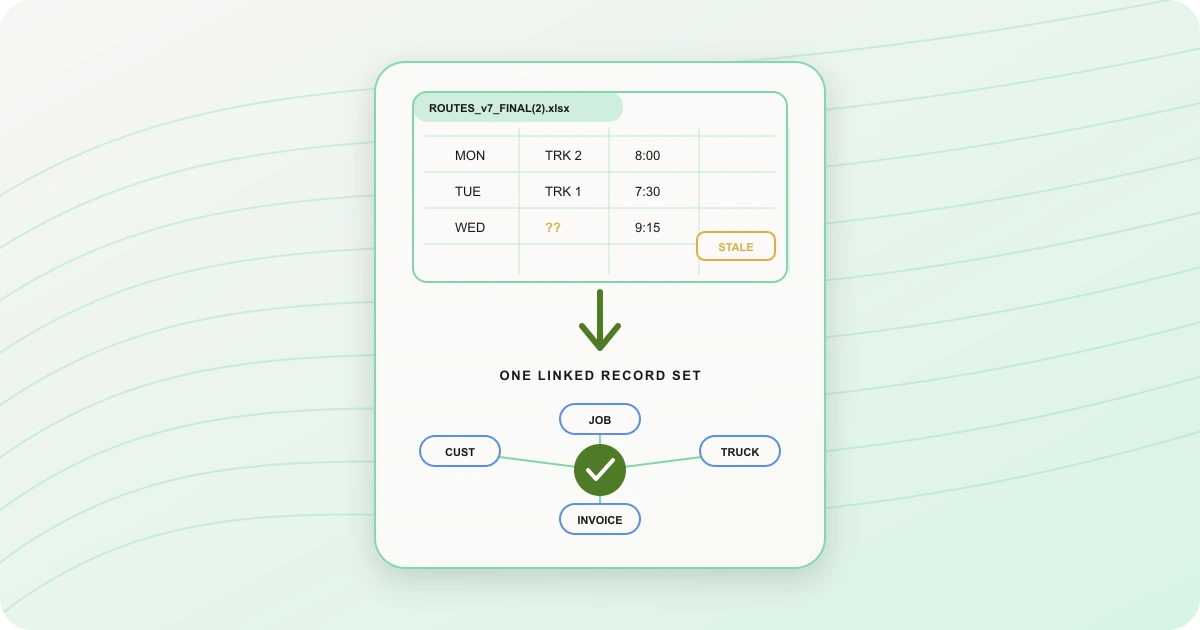
Here is the part the research does not cover, because it studies formulas: dispatch spreadsheets rarely die of a broken formula. They die of a stale value. The sheet says truck 2 has room because nobody typed in Tuesday's extra 400 gallons; the formula computing remaining capacity is perfectly correct and perfectly wrong. A flat file only knows what someone remembered to type, at the moment they remembered to type it, and a dispatch day generates changes faster than one person can transcribe them.
Weigh all of that against a switching cost that, unlike your manual cost, is published. Per-driver routing tools list at $35.10 to $44.10 per driver per month billed annually (OptimoRoute, as checked in August 2026); run that against your own roster, because at ten drivers the higher rate is $441 a month. DynoRoute's plans are public at $199, $499, and $999 a month, with credit-based optimization and no per-seat pricing. Included credits, plan limits, onboarding needs, and any separately agreed services affect the real comparison, so compare the plan you would actually use against a measured manual week, not against zero.
Five signals you've outgrown the spreadsheet
Five failure signals separate a spreadsheet that is still earning its keep from one that may have become the bottleneck: copy drift, double entry, capacity surprises, hidden exceptions, and single-person dependency. Any one of them showing up occasionally is normal life. Set a review trigger from your own service risk and recovery cost—for example, repeated incidents or one material failure—then measure the cost and test alternatives. The signal is a reason to investigate, not proof that a purchase will fix it.
Copy drift means there is more than one version of the truth. The workbook called FINAL_v3, the dispatcher's local copy, the printed route sheet from yesterday still riding in the cab: the moment a driver can run a plan that the office has since changed, every other row in the system is suspect.
Double entry means the same job gets typed more than once: into the sheet, into a text to the driver, into the invoice system. Each re-typing is labor you already counted in the table above, and each is a fresh chance for the versions to disagree.
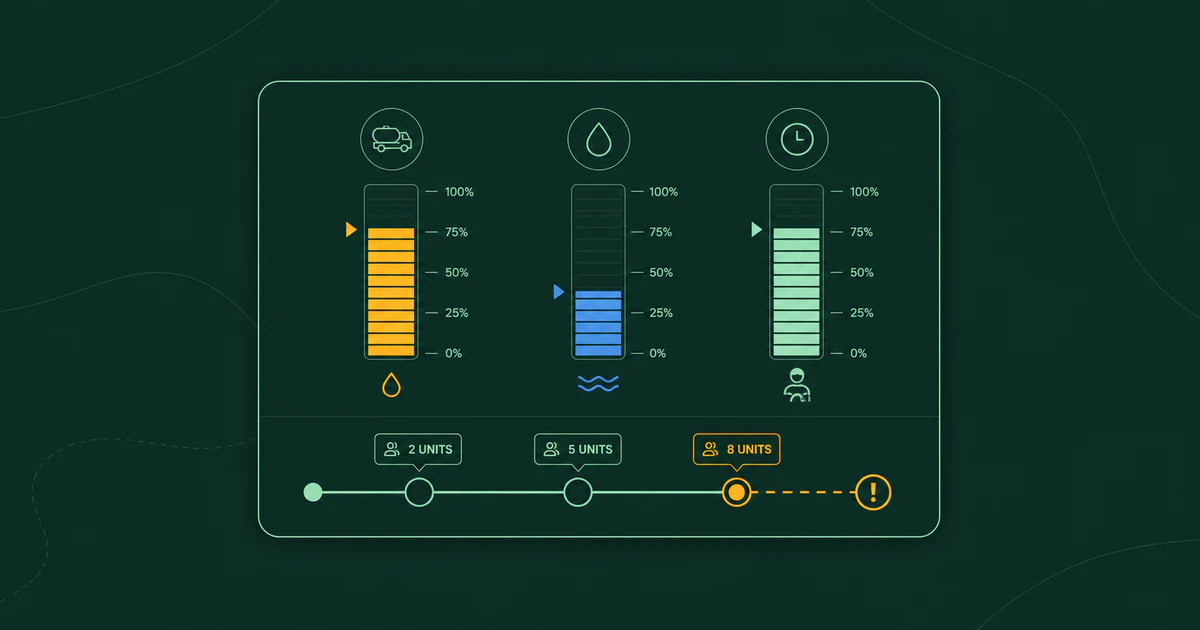
Capacity surprises mean the truck's limit shows up as an event instead of a plan. The sheet can hold a gallons column, but unless you have built live inputs and automation around it, it will not re-run the day when the third stop turns out heavy. The disposal return then gets improvised from the cab. If your dispatcher is doing tank math in their head at 11 a.m., the formulas are not carrying the live day.
Hidden exceptions are the rules that live nowhere: the gate code, the account that is never ready before ten, the plant queue that doubles on Mondays. Some of them made it into a notes column. The rest are the reason nobody else can produce tomorrow's plan.
Single-person dependency is the signal operators name last and feel first. If the day only compiles inside one head, then a vacation, a sick week, or a resignation is an operational outage, and every other signal on this list gets worse the day that person is unavailable.
The list cuts both ways. If your day is stable and recurring, mid-day changes are rare, capacity almost never surprises you, billing reconciles cleanly, and a second person genuinely could run the plan tomorrow, the spreadsheet is still enough. Keep it without apology, and re-read this list the month that stops being true.
What software has to do that a prettier spreadsheet can't
A replacement for a dispatch spreadsheet earns its place by connecting six capabilities that a standalone workbook usually requires people or custom automation to supply. First, relational records: the customer, recurring schedule, job, truck, and invoice as linked records, so an approved change does not have to be retyped. Second, constraints checked at planning time: capacity, service frequencies, time windows, skills, availability, and travel feasibility tested before assignment. Third, live execution: dispatch and field status stay connected, so day-of changes can be reviewed against the work that remains. Fourth, proof of service: timestamped photos, signatures, notes, outcomes, and quantities attached to the relevant stop or visit. Fifth, audit and permissions: who changed what and when, with access appropriate to each role. Sixth, integrations: completed work has a defined path into invoicing and the other systems that need it.
Notice what a route optimizer alone covers on that list: sequencing, nothing else. Bolt one onto the workbook and you keep every failure mode from the last section, plus an export ritual. Plenty of operators have bought routing software and ended up running both it and the spreadsheet, which is how you learn the sheet was never really about routes.
Of those six, test the constraint logic hardest in any demo. Give the system your actual capacity and workload limits, availability, skills, priorities, business hours, and travel assumptions; then see whether it flags an assignment that cannot fit the day and explains the alternative it recommends. Disposal or refill resets are a separate workflow to demonstrate with your own data rather than infer from a generic capacity field. The grids are the easy part.
How to switch without losing what the spreadsheet knows
Moving dispatch from a spreadsheet to software is a translation job: clean the sheet, map its columns to supported records, pilot the software in parallel while the sheet stays authoritative, reconcile the important differences, then cut over one route type at a time and freeze the workbook as a read-only archive. Only mapped data survives the import. The untyped judgment survives only if the pilot is allowed to be wrong and gets corrected.
1. Clean the sheet where it lives. Deduplicate customers, fix addresses, and expand the notes column, because that notes column is the most valuable column you own: it is the dispatcher's brain in text form. Every gate code, "call first," and access quirk becomes its own labeled field. Do this even if you never switch; it is the cheapest insurance against single-person dependency you will ever buy.
2. Map columns to records. Customers, service frequencies, truck capacities, disposal sites, time windows. This is the step where the spreadsheet stops being the enemy and becomes an import source. DynoRoute can import customer lists and jobs by CSV; fields that do not map need their own migration decision rather than a promise that every cell will carry over. The judgment is a different kind of data, and moving it is what the next two steps are for.
3. Pilot in parallel, sheet in charge. Run both for at least one full cycle of your most common service frequency, with the spreadsheet remaining the authority; nobody bets the fleet on week one.
4. Reconcile every difference, daily. Each mismatch between the software's plan and the sheet's plan is one of two things: a rule the system does not know yet, which you teach it, or a fossil the sheet has carried for years, which you finally drop. This reconciliation is the actual knowledge transfer: it moves the untyped judgment out of one head and into rules and per-stop notes. Expect the software to lose the comparison on day one, and expect to know exactly why by the end of the week. What actually breaks in transition: an address that geocodes to the wrong driveway, service-time guesses that run optimistic, and exceptions nobody remembered until the plan violated them. None of it is fatal, and all of it is visible in a parallel run and invisible in a big-bang cutover.
5. Cut over one route type at a time, then archive. When a route type survives reconciliation for a full cycle, it moves. When they all have, date the workbook, lock it read-only, and retain it for the period your contracts, privacy policy, and recordkeeping rules require. It is the migration trail, not a second source of truth.
Whatever system you evaluate, the bar is set by the workbook it would replace: it imports mapped data instead of demanding wholesale re-entry, models the constraints and recurring frequencies you actually use, supports a parallel pilot, and makes the full trial cost clear. DynoRoute documents CSV import, weekly-to-custom recurring jobs with individual visits, capacity and workload inputs, AI assignment suggestions with reasoning, conflict checks, and a driver workflow for timestamped photos, signatures, notes, and outcomes that can sync after offline work. Run the pilot through your hardest capacity case and any disposal or refill reset; do not treat a successful import as proof that every operating rule made the move.
If your dispatch day lives in a workbook only one person can drive, tell us what your fleet hauls and how your day runs, and pilot the switch against the sheet before you trust it.